Don’t Panic — You Can Fix It Fast
Relax, this short friendly guide helps you try quick, safe fixes at home when your massager won’t vibrate; follow simple steps, protect your privacy and discreetly clean it first so you can easily fix it fast without panic or embarrassment.
What You'll Need
Start with the Basics: Check Power and Connections
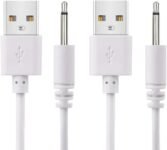
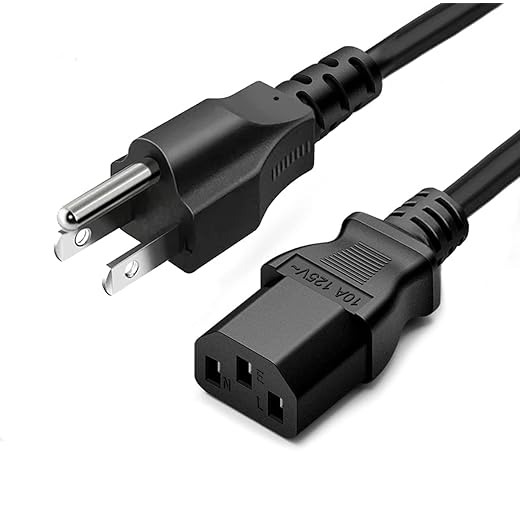
Dead battery or shy plug? Rule out the obvious before you panic.Check the charger and cable — plug in a known-good charger and swap the wall adapter. Try different outlets (even the one that powers your lamp).
Swap disposable batteries for fresh ones if applicable, and try a different USB cable or adapter for rechargeable models. Watch for LED blinks or brief responses — they usually mean a soft-fix: power anomalies, dirty contacts, or a flaky switch.

Inspect the Device for Physical Damage
Tears, water, or chewed cords — more common than you think.Give the massager a careful once‑over. Look for cracks in the casing, separated seams, exposed wires, or silicone rips that could let moisture in — imagine how a tiny tear turned my travel toy into a soggy paperweight after a beach weekend.
Smell for burnt electronics (that “sad toast” smell). Press every button and dial to see if gunk or sticky residue is stopping contact. For wired units, tug gently on the cable near the connector to reveal hidden breaks.
Document any corrosion or damage with photos for warranty claims or recycling.
Try a Simple Reset or Restart
Sometimes it's a tantrum — a reset calms it down instantly.Power-cycle everything. Turn the massager off, remove batteries or unplug it, wait one to five minutes, then reassemble and try again — like rebooting a stubborn phone app that won’t load.
Follow the manual’s reset procedure for devices with a reset button or pinhole; if it’s firmware-updatable, check the manufacturer’s site (use a different phone or laptop to look up instructions).
Remove batteries completely for 10–15 minutes to clear odd electronic hiccups. If the massager briefly vibrates when reconnecting, repeat the power cycle and monitor for consistent behavior.
Test the Motor and Internal Parts Safely
Channel your inner gentle surgeon — but don't go full Frankenstein.Proceed only if you’re comfortable and the warranty is already void or expired.
Power down and remove batteries first.
Open screws carefully and keep parts organized (use a small tray or a muffin tin — yes, really).
Keep track of small parts and springs; losing one will ruin your confidence faster than a dropped screwdriver.
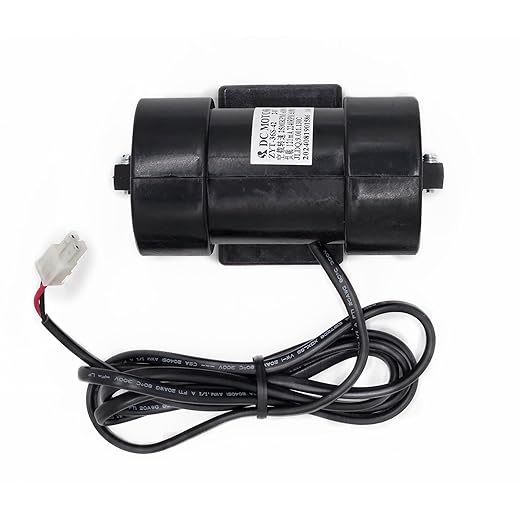
Inspect the motor assembly for loose connectors, snapped wires, or dislodged weights — a wobble can mean a fallen counterweight or bent shaft.
Test the motor briefly and safely: connect its leads to a fresh battery for a low-voltage direct test, or use a multimeter to check continuity and voltage.
Recognize that if the motor hums but doesn’t spin, the rotor or bearings may be gummed up — avoid re-lubrication on sealed consumer devices; note what you find and reassemble if unsure.
Fix Common Problems: Replace Parts or Workarounds
Quick swaps and creative hacks that actually work — no soldering PhD required.If you need parts, source them from the manufacturer or hobby electronics sellers; avoid generic replacements that don’t match voltage or size. Keep safety in mind: no exposed live wiring and no jury-rigged high‑voltage solutions.

When to Toss It or Call a Pro — and How to Do It Right
Not every fix is worth it — save money and dignity by choosing wisely.Decide based on cost, age, and safety. If your massager is ancient, smells burnt, has missing safety shields, or shows water damage to the PCB, replace or get a professional repair — don’t gamble with a sparking toy.
Contact the manufacturer first for warranty or authorized repair. Call support or file an online ticket; mention model and purchase date.
Clean and prep the device before shipping. Remove personal attachments (sleeves, beads), wipe the exterior with disinfectant, and let it dry.
You’re Good to Go — Or Not
You’ve walked from basic checks to pro options; try the quick fixes, stay safe and discreet, and don’t be embarrassed if replacement wins — give these steps a shot, share what worked, and tell others your victory or swap tale.